
Portfolios
Living portfolios for people, teams and projects.
A Learning Toolbox Stack makes a persistent, shareable portfolio. Individuals build a professional or research portfolio, organisations give every member or participant their own Stack, and projects publish their outputs in one living place, owned by the author and updatable over time.
One platform, owned by the author
Individuals
Teams & members
Projects
How a portfolio works
Build it once, keep it yours, share it anywhere.
1
What is a portfolio Stack?
An author builds a Stack of interactive and multimedia content in our easy to use online editor. It can hold videos, images, audio, documents, presentations and links, organised to show work, learning or results in one place.
The author shares the Stack by simply showing its QR code or weblink. Viewers open it on any device, and the author keeps ownership and can update it over time. Followers are notified of new content.
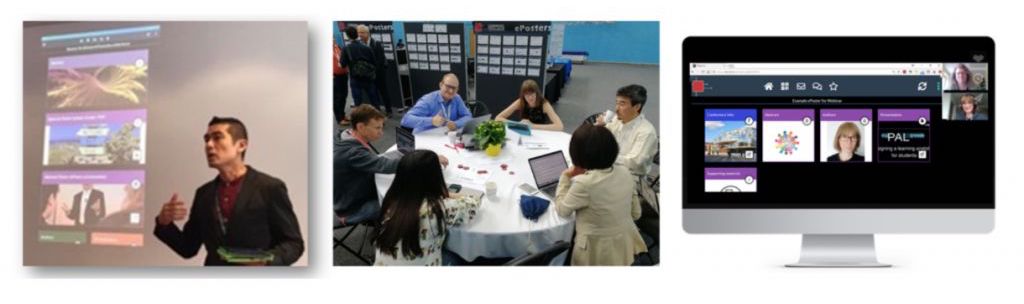
Three kinds of portfolio
The same persistent, shareable Stack, used by individuals, organisations and projects.
Individuals
A professional or research portfolio
Professionals and researchers build a living portfolio or calling card that travels with them, shared by QR code or link and updated as their work grows.
Teams & members
A Stack for every participant
Organisations give each member, cohort or participant their own Stack. Incubators, associations and education programmes use this to host a whole group’s portfolios in one branded place.
Projects
Living project outputs
Research and consortium projects publish their results, resources and deliverables as Stacks, making the outputs easy to find, share and keep current well after the work is done.
What you get
Owned by the author
The Stack belongs to the person who builds it. It is persistent and stays under their control.
Shareable anywhere
Share by QR code or weblink. Viewers open it on any device, with nothing to install.
Updatable over time
Keep the portfolio current. Viewers always see the latest version and followers are notified of changes.
A Stack per member
Organisations can host a whole group’s portfolios together, each participant with their own Stack under one branded showcase.
Rich, interactive content
Video, audio, documents, apps and live links, not just a flat document. The portfolio shows the real work.
Discussion built in
Each Stack has its own chat area, so feedback and questions stay attached to the work.
Different setting?
See what a Learning Toolbox portfolio looks like.
Book a demo with Tamsin. We’ll show you how individuals, teams and projects set up and use Kubify, talk pricing, and answer anything you bring.